Things to 3D Print: Personalized Gift Ideas That Are Actually Useful
By Moopky ·
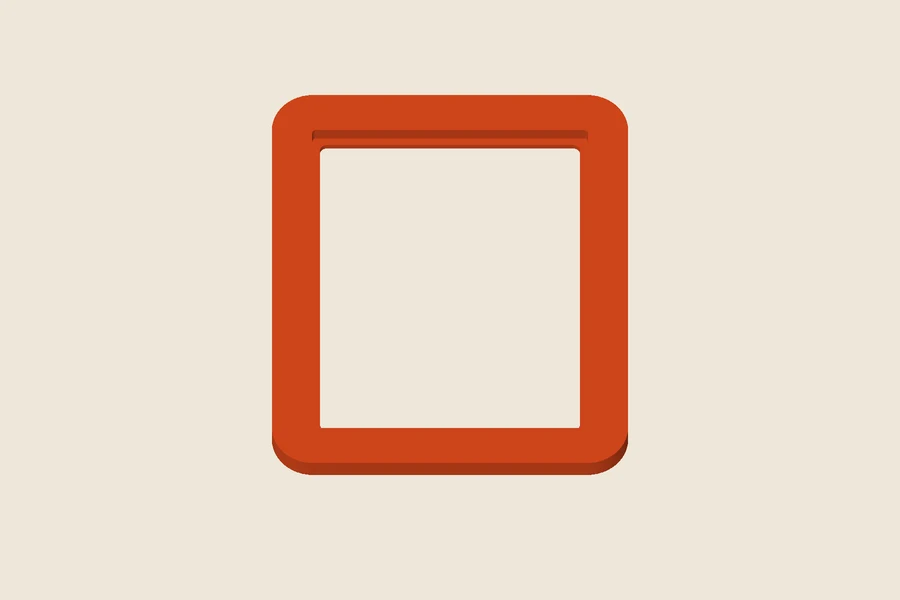
Free STL downloads, no account needed. Unlimited single-model downloads for personal use are offered today; 3MF, full batch downloads and commercial licences are not available. Current download options.
A useful printed gift begins with a person and a place, not a long list of impressive models. Think about a photograph waiting for a frame, a desk that could use a name sign, or a bag that is hard to recognize. Personalization gives a small object a reason to exist, but its dimensions and everyday handling decide whether someone will keep using it. This guide helps you choose among Moopky projects and prepare one manageable print. The illustration above is generated from our engine, not a photograph or evidence of a physical test.
Start with the recipient’s routine
Ask what the person already uses. A frame for a particular picture has a clearer purpose than an empty frame with an arbitrary opening. A keychain needs to fit the way they carry keys. A name plaque should suit the space where it will stand or attach. Write down the intended location, approximate dimensions and one personal detail before opening an editor. You do not need a complicated design brief; a sentence such as “a small sign for Maya’s drawing shelf” is enough to narrow the choices.
Keep the intended use modest. These projects are decorative or organizational objects, not structural components or certified safety products. Small loose parts, sharp points and attachments deserve consideration when choosing a recipient. Do not turn a pleasant gift into something that depends on an untested load-bearing connection. You remain responsible for the finished print, including its material, cleanup and suitability for the place it will be used.
A frame for a photograph that matters
The picture frame maker is a good starting point when you already have a picture. Measure the actual trimmed photo rather than trusting the nominal paper size. The frame includes a window and a rear ledge; the optional backing is a separate loose piece. It does not include a stand, wall hanger or guaranteed attachment for glass. Plan how the photo will be retained before spending time on decorative corners.
A short caption can name a trip or a date. Leave room between the words and the opening, because lettering is clipped to the supporting border. If a caption disappears at an edge, move or shrink it rather than assuming it will return during export. The outside dimensions include the border and any arch or oval surround. Check the full footprint in the slicer before printing a large frame.
A name sign with somewhere to live
Use the name plate maker for a shelf, creative corner or personal desk. A flat plaque and a standing sign require different decisions. The flat plaque needs your own mounting arrangement. The standing version adds a connected foot, but its balance and flatness need checking on a physical sample. Measure available width and viewing distance so the name is readable where it will actually sit.
Short wording usually gives a more useful result than squeezing a motto into tiny letters. Add a second line only when it has enough space to be read. Raised lettering can work with a height-based filament change; engraved lettering makes a recess instead. A colour shown in the preview is inspiration, not a filament instruction stored in STL. Inspect the sliced text layers before choosing a colour-change operation.
A keychain that stays small
The keychain maker suits a short name or a simple label. Font choice matters: a script can add flourishes and narrow joins, while a bolder font may be easier to inspect at small scale. A long name or second line changes overall width even when letter height stays the same. Compare the complete bounds with a keychain you already find comfortable to carry.
Look at the attachment as closely as the name. The ring connection needs continuous printed material, and any rough edges should be assessed before adding hardware. A successful digital model does not establish durability in a pocket or on a bag. Start with one sample, inspect the neck and ring, and revise the design if the sliced paths or finished object look fragile. The multicolour keychain guide explains the colour-change decision in more detail.
A small award for a real achievement
An award can be useful as a record of something the recipient values. The trophy and medal maker offers flat badges and medals as well as a standing trophy. Pick a specific message such as a reading milestone or the name of a friendly event. You do not need invented rankings or grand claims to make a personal celebration meaningful. Keep the lettering large enough to read on the chosen outline.
A flat medal is a simpler geometry review than a standing trophy. The standing version may require supports, and its foot needs a stability check. Ribbon and pin hardware are not part of the download. If a medal will be worn, consider its size, edges and attachment separately from its appearance. Print one version before making a set with several names.
Choose one experiment, then inspect it
For a typical 0.4 mm nozzle, a 0.2 mm layer height and three walls can be useful initial settings for a flat decorative object. They are starting points to test, not a profile validated for every project. Follow your material and printer requirements, inspect the first layer, and step through the thin details. A shape may be watertight while still containing features your chosen nozzle cannot produce well.
Read the full exported width and depth and leave room for a brim or skirt. If an assembly contains loose pieces, consider splitting and arranging them before scaling the complete model. Scaling also changes clearances, holes and text relief. Record any measurements that matter to the recipient’s actual photograph, desk or hardware. Correct a dimension in the editor when that preserves the rest of the design more clearly.
Finish the gift, not just the download
Check spelling one last time and keep the settings used for the final version. My makes saves design settings on the current device; keep your own backup notes for anything important. After printing, inspect the object and test its intended fit before wrapping it. Include a simple explanation if it needs a particular backing or attachment. Do not describe an untested object as proven durable or universally compatible.
Moopky offers a personal-use free workshop today. See the current download options for availability and the model licence for permitted use. Free STL downloads, no account needed, are available while billing is off. That describes today’s workshop rather than a promise about all future plans. The site supplies digital files for your printer and does not manufacture or ship the finished gift.